 Private Video Translate
On-device video translation
Private video subtitles, translated on your Mac.
Powered by Apple’s on-device speech recognition and translation. Audio and subtitle text stay on your Mac.
Early preview. The Mac app is not notarized, and the extension requires manual installation. Read the setup guide →
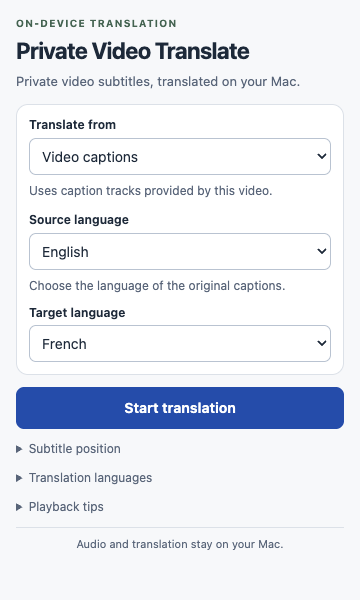
Apple’s engines process the audio and captions on your Mac.
Use video caption tracks when available, or translate tab audio.
Connect the extension, then translate from Chrome—even after restarting your Mac.
From video to your language.
Full installation guide →Set up your Mac
Install the companion in Applications and open it once. Add the Chrome extension preview.
Pick your languages
Download Apple’s translation languages. Choose the original language and the language you want to read.
Start translation
Open the extension on a video tab. Subtitles appear over the video, with adjustable positioning and readable timing.
Made for your Mac.
Two components work together: the Mac companion runs translation, and the Chrome extension displays your subtitles.
- Apple silicon Mac running macOS 26 or later.
- Google Chrome 116 or later. Safari, iPhone and iPad are not supported.
- Downloaded translation languages. Tab audio also needs a source speech model.
- A regular video website. Protected streams, picture-in-picture and some embedded or fullscreen players have limitations.
A few things to know.
Does it work without captions?
Yes. Tab audio captures sound from the selected Chrome tab and uses Apple’s on-device speech recognition before translation. It includes all audible content in that tab, not your microphone. Translated subtitles follow speech, so some delay is expected.
Does Video captions work on every site?
It reads standard subtitle and caption tracks exposed by the video player, with an additional YouTube integration. Burned-in subtitles, custom caption renderers and inaccessible embedded captions are not universally readable. Use Tab audio when captions are unavailable.
Do I need to leave the Mac app open?
No. After opening it once from Applications to register the connection, you can close or quit it. Chrome starts the local translation helpers when needed. After restarting your Mac, start a new session from the extension. If you move the app, open it again from Applications.
Is this preview a two-hour trial?
No. This preview does not enforce a usage allowance and has no payment or activation system. Pricing and licensing for a future release have not been announced.
Ready to try it?
Start with the preview and the step-by-step guide.